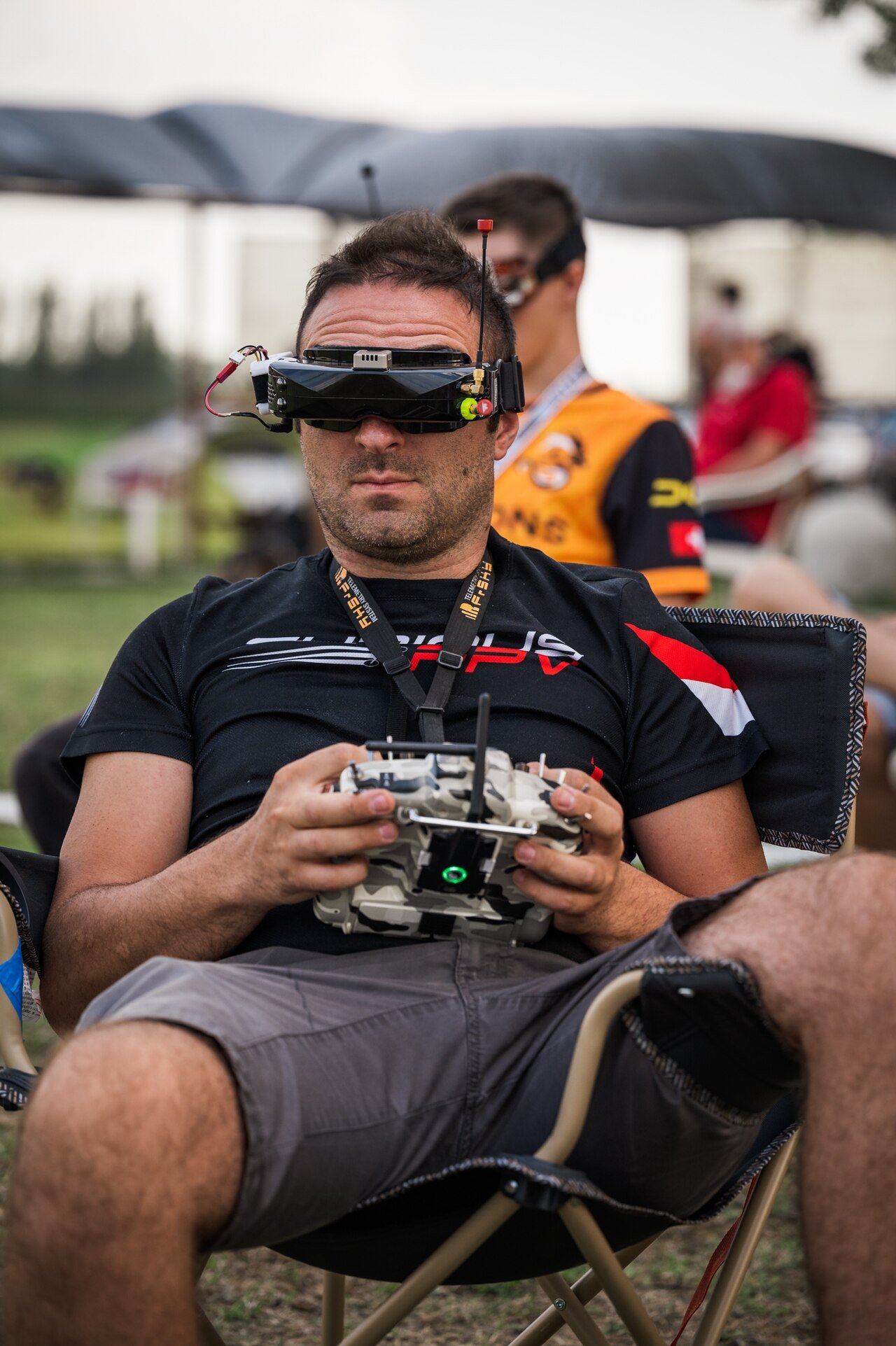
FPV — first-person view — is drone flying at its most immersive: strap on goggles and you're in the cockpit, seeing what the drone sees in real time. It's a whole culture (racing, freestyle, cinematic) and a distinct branch of drone building, with its own parts and skills. Here's what makes an FPV drone different and how to start.
FPV vs a camera drone
A consumer camera drone (a DJI Mavic and its kind) is engineered to remove skill: GPS position hold, obstacle avoidance, gentle auto-stabilisation, a screen on your phone. An FPV drone is the opposite philosophy — light, fast, agile, flown manually and immersively through goggles, often with no GPS at all. One is a flying tripod; the other is a flying experience. If you want smooth aerial photos with minimal practice, buy a camera drone. If you want to fly, FPV is the rabbit hole.
The parts that make it FPV
Under the hood it's still a quadcopter — frame, motors, ESCs, flight controller, battery — plus the FPV-specific chain:
- FPV camera: a small, low-latency camera pointed forward (and usually tilted up for speed).
- Video transmitter (VTX): sends the live feed to your goggles — see drone video transmission.
- Goggles or screen: where you see it. Goggles are the immersive standard.
- A good radio: manual flying rewards a quality transmitter and receiver (radio links).
Analog vs digital video
The one FPV-specific decision worth understanding up front:
| Analog | Digital (e.g. DJI/HDZero/Walksnail) | |
|---|---|---|
| Latency | Lowest (~ms) | Low (~20–40 ms) |
| Image quality | Low-res, noisy | HD, clear |
| Failure behaviour | Degrades gracefully to static | Can freeze/break up at the edge |
| Cost | Cheap | Higher |
Analog is the cheap, unkillable classic; digital is the sharp modern default. The video transmission guide covers the trade in depth — the short version: latency tolerance decides everything.
Flight modes: angle vs acro
- Angle (stabilised) mode: let go of the sticks and the drone levels itself. Forgiving — the place to start.
- Acro (rate) mode: the drone holds whatever attitude you leave it in; you control everything. This is "real" FPV — flips, dives, freestyle — and it's why people crash early and often.
Two things save you money and frustration: a simulator (a €5–20 sim plus your radio is where you learn acro without breaking anything) and a "tiny whoop" — a tiny, ducted indoor FPV drone that survives crashing into walls. Fly the sim daily, whoop around the house, and you'll be ready for a 5-inch outdoor quad without a graveyard of broken props. Skipping the sim is the classic expensive mistake.
Fly legal, fly safe
FPV has a specific rule twist: because you're looking through goggles, you're not keeping the drone in your own line of sight — so most jurisdictions require a spotter next to you watching the aircraft directly. Beyond that, the normal rules apply: register, respect zones and height limits, don't fly over people. The EU registration & licence guide has the essentials, and building toward something more autonomous is covered in AI drone integration.
Frequently asked questions
What is an FPV drone?
An FPV (first-person view) drone streams live video from an onboard camera to goggles or a screen, so you fly as if you were sitting in the cockpit. It's a different experience from a camera drone: immediate, immersive and manual, used for racing, freestyle and increasingly for cinematic and industrial flying.
What's the difference between an FPV drone and a normal camera drone?
A camera drone (like a DJI Mavic) is built to be easy: GPS hold, obstacle avoidance, automatic stabilisation. An FPV drone is built to be flown manually and immersively through goggles — lighter, faster, more agile, and with a steeper learning curve. Many FPV drones have no GPS at all.
Is it hard to learn to fly FPV?
Manual FPV (acro mode) has a real learning curve — most people crash a lot at first, which is why you start in a simulator. But you can begin in stabilised (angle) mode, which is much more forgiving, and progress to acro as your skills grow. A simulator plus a cheap 'tiny whoop' is the standard low-cost start.